



Turn your kid's weekly spelling list into their favorite game
Type the words, dictate them, or snap a photo of the list from school. We turn them into games, tests, and rewards they actually want to earn, read in your voice. No ads. No internet required. No account.
Your School's Words
The exact list the teacher sent home
Add this week's spelling words (the ones from the Friday test, the ones on the fridge) by typing, voice dictation, or snapping a photo. Your child practices exactly what they'll be tested on, not generic word lists from a database.

Add Words Your Way
Type it, say it, or snap a photo of the list
Type the words in, speak them with voice dictation, or take a photo of your child's spelling list and let the app read it. All three ways included in the free tier. Then record each word in your own voice so they hear you during tests, not a robot. It's that fast.

Enhanced Voice · Pro
When you haven't recorded a word, they still hear a clear one
Recording every word yourself is the best your child can get, and it stays free and unlimited. Enhanced Voice is for the weeks you don't get to it: a clearer, more natural spoken voice for the words on your lists, switched on by you in Parent Center under Voice Settings.
Your own recording still wins
If you recorded a word yourself, that is what your child hears. Enhanced Voice only fills in the words you didn't get to.
Homophones get a sentence
A word that sounds like another — write, right — is spoken and then used in a short sentence, so your child knows which one to spell.
Downloads once, then works offline
Turn it on and the app fetches the voice for the list you're on. Each word downloads once and plays without a connection after that.
Hear it before you switch it on
Voice Settings plays sample words in both the standard and the Enhanced voice, on Free as well as Pro, so you decide with your ears.
Off until you turn it on, and it needs Cloud Sync sign-in. An American voice in the US, a British voice in Australia and New Zealand. How Enhanced Voice works
Kid-Safe Keyboard
Big keys. Color-coded vowels. Nothing they don't need.
A custom keyboard designed for little hands. Vowels highlighted in yellow so they stand out. No symbols, no autocorrect, no distractions.

Games
Practice that doesn't feel like homework
Every game uses the spelling list you entered: the words from school, not random vocabulary. Kids don't realize they're studying.
Every game included free. Every game pulls from your child's real spelling words, not generic vocabulary.
* Tic-Tac-Toe is called Noughts and Crosses outside the US.


The Motivation Loop
Six reward systems stacked so kids ask to practice

Every correct answer triggers a burst of emoji: ducks, stars, rockets, unicorns, pizza. Random every time. Finish the whole thing and a confetti cannon goes off.
Right answers earn stars. Stars are the currency for everything else, and kids choose what to save up for.
26 collectibles across Common, Uncommon, and Rare tiers. The rare ones (dragon, mermaid, alien) take real saving.
Three full app themes: Ocean, Galaxy, Candy. Each totally transforms how the app looks. Makes it feel like theirs.
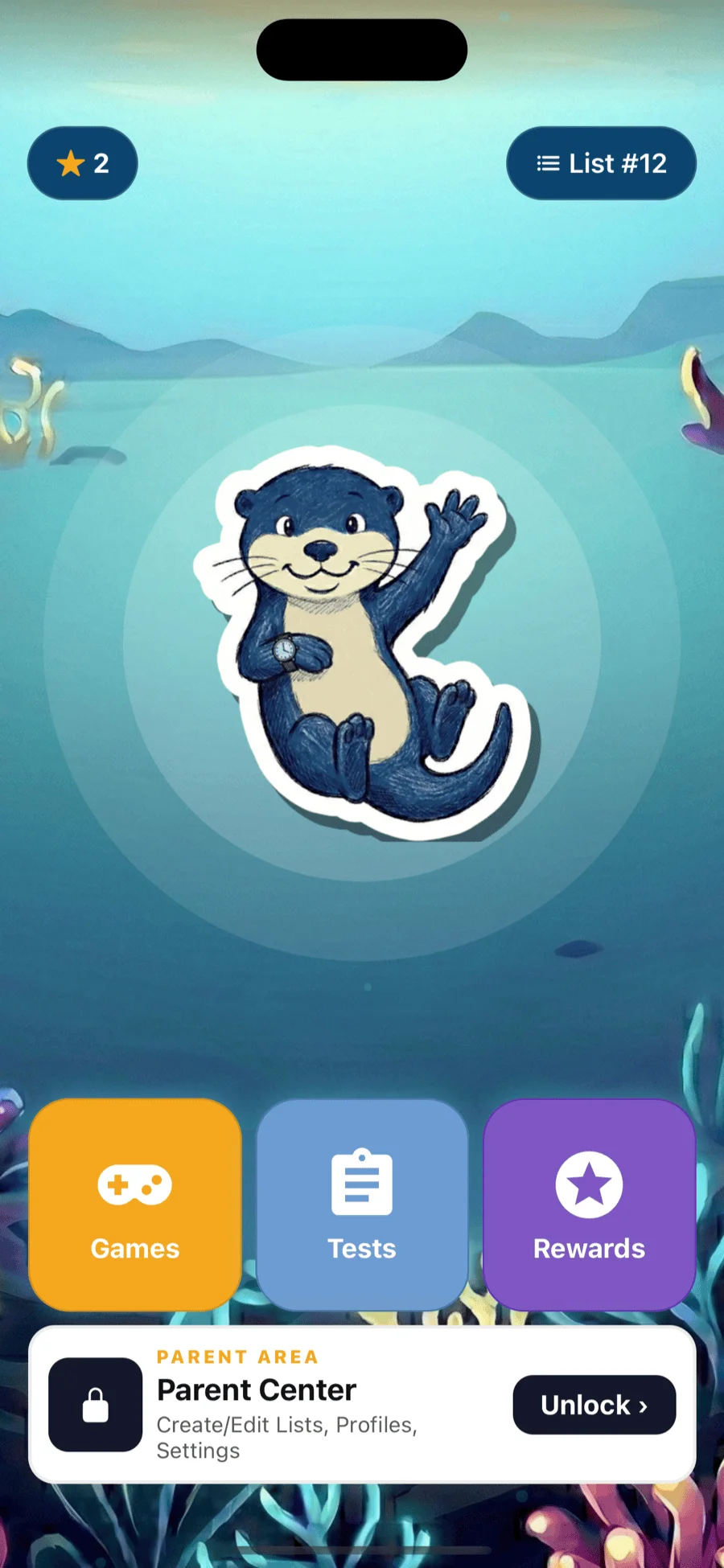
Their equipped sticker becomes their on-screen buddy that wiggles, breathes, and victory-bounces every time they get a word right.
Tie mastery to physical incentives: extra screen time, a trip to the park, ice cream. You define them; the app tracks.
Tests, Tracking, Profiles
Practice all week. Test on Friday. See exactly where they need work.
Beyond the games, Spelling Stream runs a full practice loop with three test modes (including a written test your child takes on paper), a parent dashboard that shows mastery per word, and separate profiles for every kid in the house.
Practice Test
Low-stakes mode for everyday practice. Kids hear the word, type it, and get instant feedback if they miss.
- Hint button if they get stuck
- Wrong answers can be retried
- Replays the word in your voice
- Unlimited attempts
Final Test
Strict mode that mimics the real Friday classroom test: no hints, no retries, one shot per word.
- No retries and no hints, like the real test
- Score saved to history
- Parents see which words were missed
- Confidence builder before test day
Written Test
The real classroom test. The app reads each word aloud, your child writes it on paper, and it moves to the next word on its own.
- Words read aloud and repeated
- Auto-advances, no tapping needed
- Screen stays awake the whole test
- Check answers together at the end
Parent dashboard
Behind the parent gate. See exactly which words your kid has mastered and which still need practice this week.
- Per-word mastery (red → yellow → green)
- Test history with scores over time
- Spot weak words before Friday
- Trim the list to just the hard ones
Multiple kid profilesPro
Each child gets their own word lists, progress, stickers, and theme. Every kid in the house on one subscription, no mixing up whose words are whose.
- Separate lists per kid
- Separate mastery + test history
- Separate sticker collections
- Syncs across all family devices
Sticker Collection
Collectible stickers across three tiers
Common stickers like the otter and butterfly are easy to earn. Uncommon ones take more stars. Rare stickers (the dragon, mermaid, wizard, alien, and potato) are the ultimate goal. Kids plan, save, and decide what to unlock next.



Custom Themes
Ocean depths, galaxy skies, candy dreams: their app, their look
Three full themes that transform the entire app. Each changes backgrounds, colors, and effects across every screen, so it feels like a different app.

Deep navy + neon cyan. Bioluminescent default.

Cosmic purple, starfield depth.

Pastel pinks. Sweet and soft.
You Stay In Control
Parent lock keeps everything safe
All settings, word lists, and recordings are behind a parent lock: a math problem, a custom PIN, or Face ID. Your child plays and practices freely, but they can't change their words, access settings, or reach anything you haven't set up for them.

Privacy & Safety
Built by parents who actually worry about this stuff
Zero Ads
No banner ads. No video ads. No sponsored content. Your child sees only their spelling words.
Your Recordings Stay On Device
Voice recordings, photos and PIN settings never leave the device — they are stored locally and are never uploaded or shared. Profiles use a nickname rather than a full name, and a nickname and progress leave the device only if a parent turns on Cloud Sync.
COPPA Compliant
No child data collected for advertising or profiling. No social features. No user-generated content from strangers.
Parent Gate
All settings are behind a parent lock: math problem, PIN, or Face ID. Kids can't change words, access settings, or reach anything they shouldn't.
How It Works
Monday: enter the list. All week: they practice.
Enter the school list
Type in the spelling words the teacher sent home. Record each one in your voice if you'd like.
Hand it over
Give your child the device. The parent gate keeps settings safe while they play.
Practice and play
They practice with games, take tests, earn stars, and collect stickers. You check results later.
Our Story
We built this because we needed it
Our daughter had weekly spelling lists and she didn't want to do them. Writing the same words over and over wasn't working. So we went looking for something fun, an app that would make practice feel like play instead of homework.
We found a few, but they were either buggy, outdated, or had gaps that made them frustrating to use. They were the best options out there, but none of them were good enough.
I've been building software for over 20 years. One night outside with the family, I said I was just going to build something. So I did. Built a prototype, then put it in front of my real focus group: my kids and my niece. The first version had an early build of Letter Catch. They were all fighting over whose turn it was to play.
That was the moment we knew we had something kids wanted and parents needed.
Built For Any List
Weekly school tests first, but custom lists work too
Spelling Stream is built around the words your kid will actually be tested on. Type the weekly list from school, or build your own list for homeschool, summer practice, sight words, or vocab quizzes.
Weekly school lists
The core use case. Type Monday, practice all week, ace the Friday test. The whole loop is designed around the weekly school cycle.
Homeschool curriculum
Use grade-level lists, sight words, theme words, or anything from your homeschool program. Nothing pre-loaded. You have full control.
Summer practice
Beats the summer slide. 15 minutes a day with games and tests keeps spelling skills sharp without feeling like homework.
Custom tests
Spelling bee prep, vocab quizzes, IEP word work, ESL practice. If it's a list of words, Spelling Stream turns it into games and tests.
Your voice, not a robot
Record each word in your own voice. Kids hear a parent during tests, like a real spelling bee at the kitchen table.
See what they mastered
Parent dashboard tracks accuracy per word, so you know which still need work and which are locked in.
Pro That Learns
Thirty words. Four need more practice. Pro knows which four.
Every game and every test is free, for everyone. What Pro adds is the part that pays attention, so tonight's practice lands on the words your child still needs, not the ones they had weeks ago. Any list, any subject, up to 100 of them.
Focus WordsPro
Your child can already spell most of their list. Miss a word once and it becomes a focus word, coming up early in practice, in both tests, and in every game until your child has it down. Same list, same ten minutes, better order.
- Three in a row to retire a word: one is luck, three isn't
- Slip once and the count starts over
- Any list, any subject. Pro holds up to 100 lists of 50 words
- Profile splits every word into Focus, Expert, and Pending
- Optional Repeat mode brings hard words back later in the session
- Opt-in: subscribing doesn't switch it on for you
Letter DistractorsPro
Spelling "laugh," your child is offered g, f, w, o, every one of them a letter kids really write in that word. Nothing to rule out, no shortcut. The only way through is knowing the spelling.
- Decoys drawn from real misspelling patterns
- Silent letters, look-alikes, and matching vowel teams
- Runs in every game that offers letters to choose from
- Same word, same grading, no harder mode
Spelling Stream Pro
Try everything free. No account. No commitment.
Free gives you every game, tests, practice, voice recordings, and enough lists to try it for real. No sign-up required. Pro unlocks up to 100 word lists of 50 words each, cloud sync, family features, and the parts of the app that learn from your child.
Free
Free, no account needed
- All 9 spelling games, nothing locked, Space Pulse included
- Practice mode and spelling tests
- Parent voice recordings
- Stars, stickers, and celebration waterfalls
- Kid-safe custom keyboard
- Parent gate protection
- Works completely offline
- 1 word list, with the first 10 words in tests and games, enough to try everything with a real school list
Pro
US$19.99 a year or US$1.99 a month, with a 7-day free trial. Covers your family’s devices.
Cancel any time during the trial in Apple ID or Google Play settings to avoid being charged. After 7 days the yearly subscription auto-renews. First-time subscribers only; the monthly plan has no trial.
US pricing. Outside the US (e.g. Australia, New Zealand) you're billed the local-currency equivalent set by the App Store / Google Play.
- Everything in Free, plus:
- 7-day free trial: try every Pro feature, no charge
- Up to 100 word lists, 50 words each
- Enhanced Voice: a clearer, more natural spoken voice for the words on your lists, with homophones used in a sentence so your child knows which one to spell. Off until you turn it on; your own recordings always play first.
- Focus Words learns which words your child keeps missing and puts those first, in practice, tests, and games. Off until you turn it on.
- Letter Distractors: wherever your child picks letters from a set, the wrong ones come from spellings kids really write, so a right answer means they knew
- Real-world parent rewards: link spelling mastery to physical incentives like extra screen time or a trip to the park
- Cloud sync: spelling lists, profiles, and progress sync across your family's devices; voice recordings, photos, and PIN settings never leave the device. A child's tablet with no account of its own joins with an activation code.
- Multiple kid profiles: each child gets their own lists, stickers, and progress
- Exclusive uncommon and rare stickers (dragon, mermaid, wizard, alien, potato, and more)
- Galaxy and Candy app themes (Ocean is free)
- Priority support
One subscription covers every device your family practices on, iPhone and Android together. How device sharing works
Scholarships & ESA funds
Buying with an education savings account or a school scholarship?
If your student has funds from an ESA, a state scholarship, or a similar education grant, you can buy a Pro license with them and get the itemized invoice naming your student that these programs ask for.
US$19.99 for a year, or in Arizona and Alabama US$1.99 a month to the end of the school year. A single charge, never an auto-renewing subscription.
An itemized invoice, every order. It names the student, the license and the amount paid.
United States only. Confirm your own program covers this before you buy.
Guides for Parents
Short, practical reads on spelling practice at home. No app required.
-
Take a Photo of the Spelling List Instead of Typing It
Box the words on the sheet that came home and the app reads them, on the phone, without uploading the picture.
-
One Pro Subscription, Every Device in the House
You bought Pro on your phone. Your child practices on a tablet. How a code connects a device that has no account of its own.
-
Focus Words: Turning It On, the Three Modes, and What You See
How to turn it on, what each mode does, and what the Focus, Expert and Pending counts mean.
-
Letter Distractors: Which Games Use It and What It Changes
Where Pro draws its wrong letters from the spellings children really write, and what stays the same on the free plan.
-
What to Do When the Weekly Spelling List Comes Home
A Monday-to-Friday routine for this week's list, without the nightly argument over flashcards.
-
Spelling Bee Practice at Home: A Parent's Weekly Guide
Low-stress ways to help your child prepare for a spelling bee at home.
-
Is It Safe for My Kid to Use a Spelling App?
What to check before handing over the tablet: ads, accounts, data, and parent controls.
Download Spelling Stream
Available now on iPhone, iPad, and Android. Free to start. No account required.